Google CrUX is a great publicly available source of performance data that is not only good for analyzing the performance of a single site over time, but also a good way to create a comparative performance benchmark using shared metrics with agreed upon definitions.
The CrUX History API allows for data to be extracted, analyzed, and compared using these metrics. However, it is challenging to use some of the publicly available CrUX Report generators to create a benchmark.
Starting from some reporting I had already developed to use the CrUX History API for my day-job, I extended this to allow for the reporting capability to be extended to anyone who has a CrUX API key (get your own by following the directions here) and a list of URLs they want to compare.
PerformanceZen CrUX Benchmark Builder
The web UI is simple.
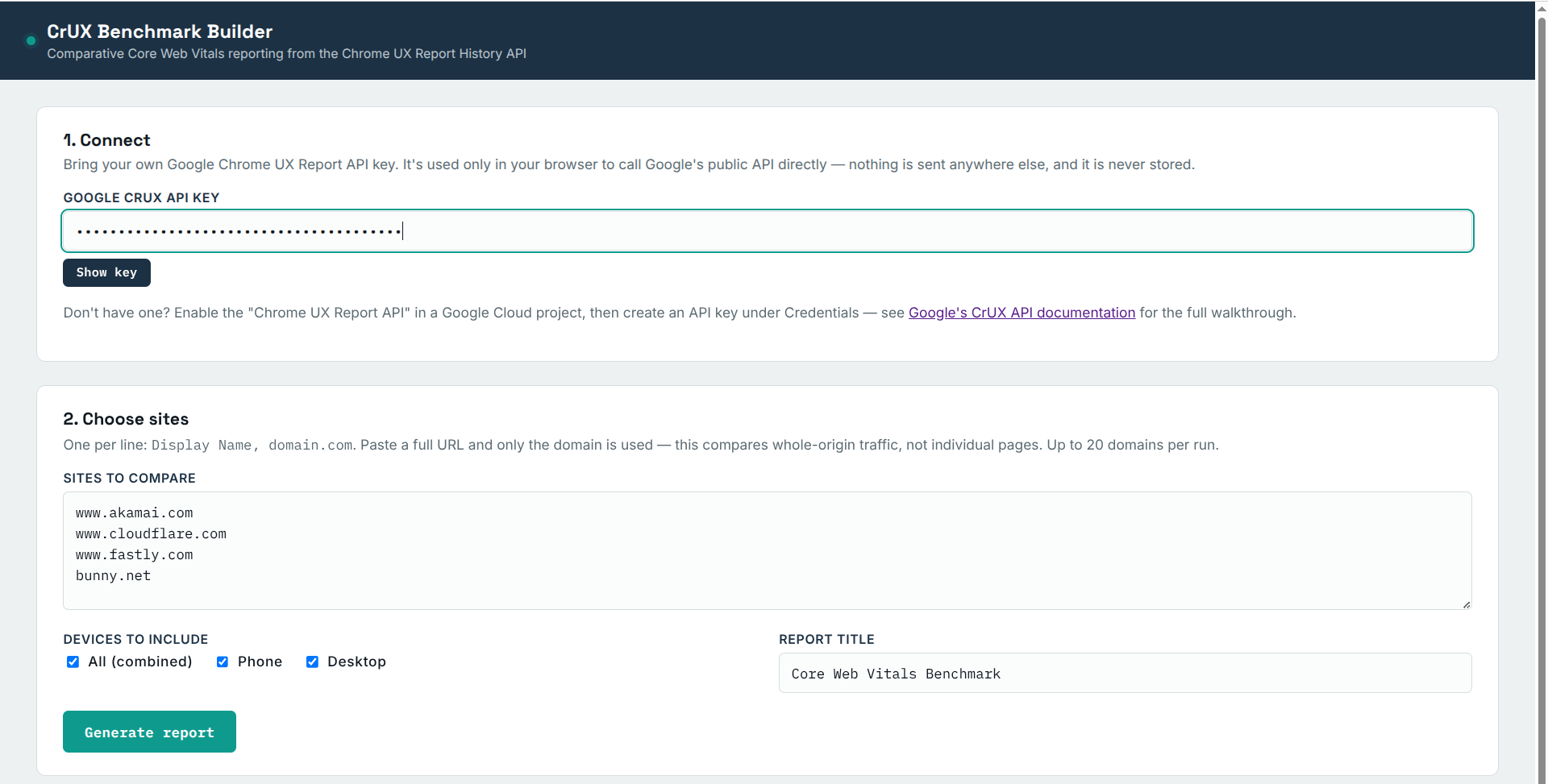
Right now it only accepts domains. I may in the future add the ability to do individual URLs, but this is the easiste to implement.
Once you run the report, you get the following output.
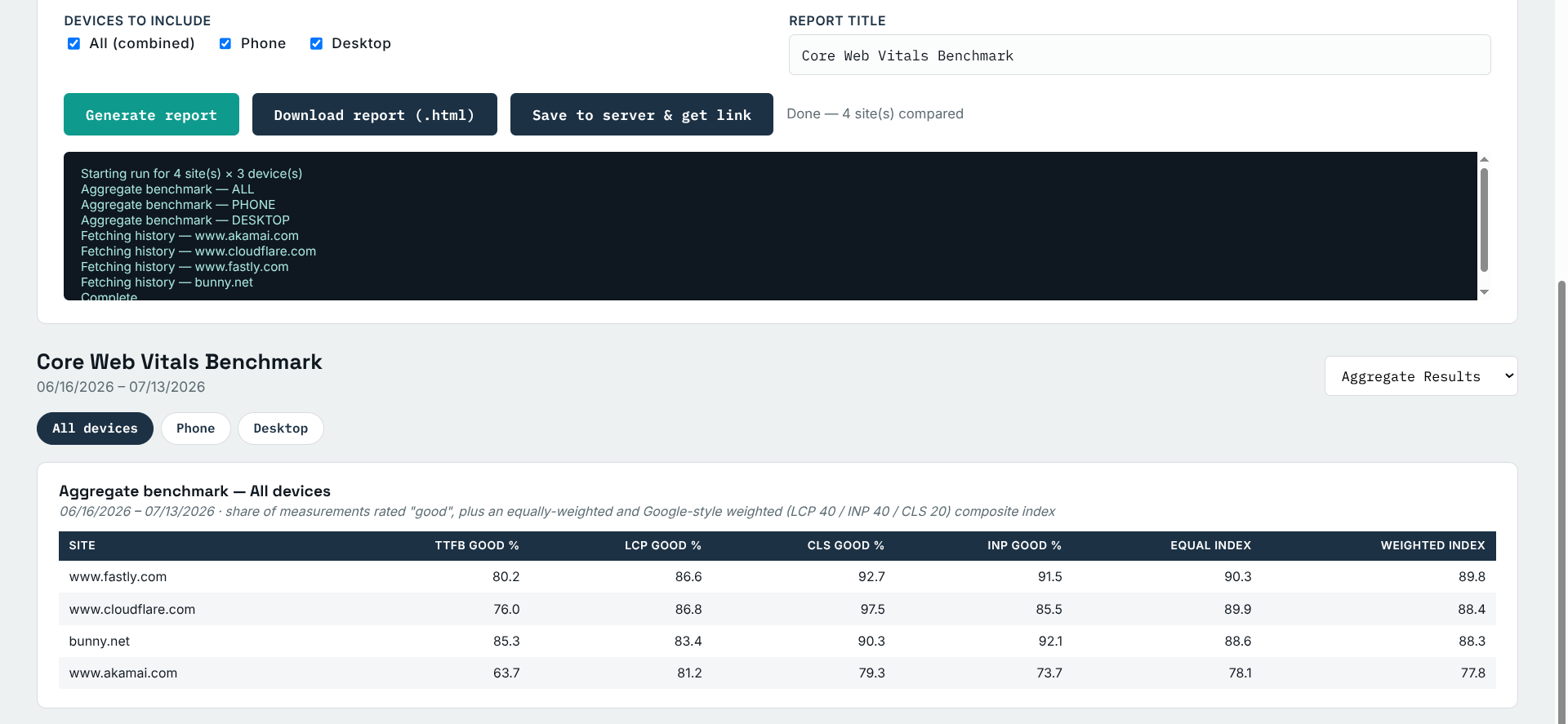
The report that is generated is viewable right in the page, can be saved to your local drive, or stored on the server for 30 Days. Using the stored on server method, I have created a sample report you can review here.
I hope you get some fun and entertainment from it!
Leave a Reply